Do not assume an iPhone bought from T-Mobile is unlocked on the day you buy it. T-Mobile unlocks eligible devices under its policy, and paying off the phone is only one of the conditions. The most useful check is on the phone itself: open Settings, General, About and look for Carrier Lock. “No SIM restrictions” means it is unlocked.
This article covers T-Mobile’s U.S. policy, checked October 24, 2026. A used phone’s seller description, an installment balance, and the phone’s actual lock status are different pieces of information.
Check the status before changing carriers
On the iPhone, go to Settings, General, About. If Carrier Lock says No SIM restrictions, the carrier lock has been removed. If it shows a restriction, or the result is unclear, ask T-Mobile to confirm the status for that device.
T-Mobile’s device-unlock instructions also explain account-based status checks. Use the official account or support route rather than paying a website that promises an instant unlock.
An unlocked iPhone still needs to be compatible with the new carrier and properly activated. Unlocking does not establish coverage, erase a bill, or automatically transfer your number.
The main T-Mobile eligibility rules
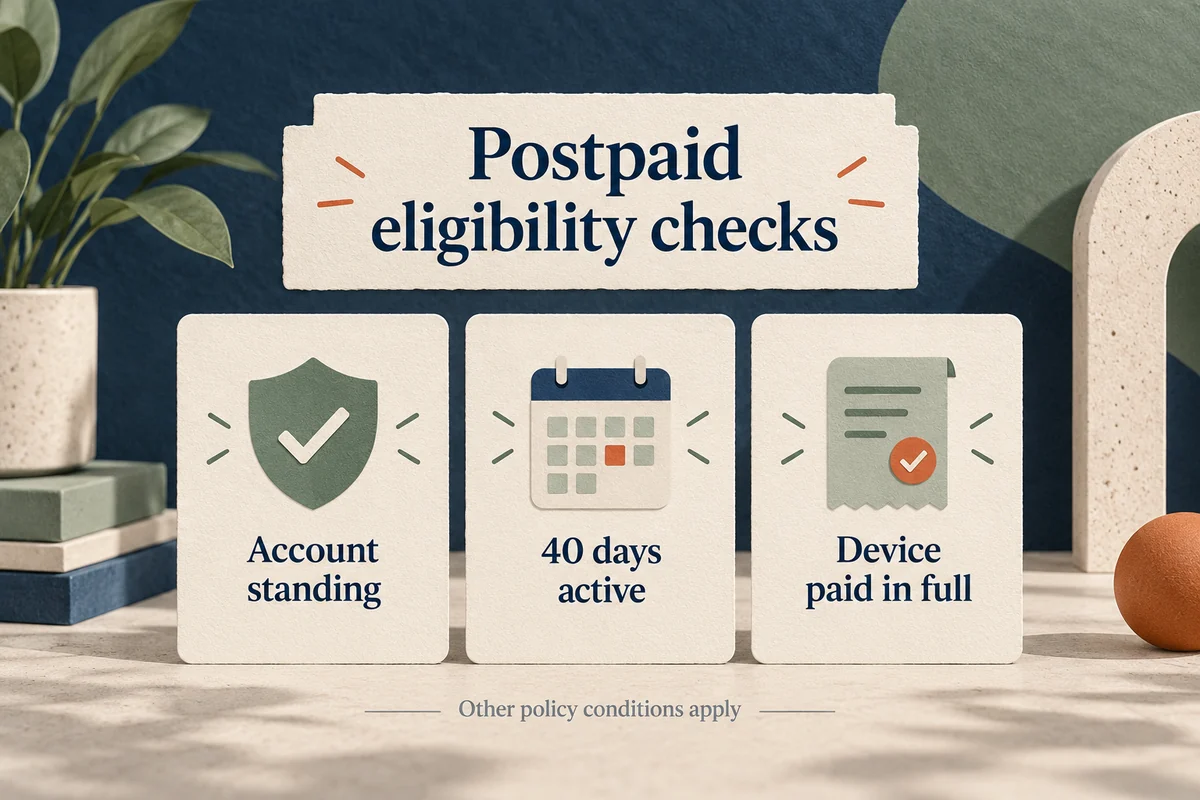
Under the T-Mobile unlock policy, the device must have been sold by T-Mobile, must not be reported lost, stolen, or blocked, and must be associated with an account in good standing.
For postpaid service, the policy also requires at least 40 days of activity on the requesting line. A financed or leased device must be paid in full, and a canceled account must have a zero balance.
Prepaid rules differ. The usual requirement is 365 days since activation. The alternative for a shorter period includes more than $100 in refills per active line and more than 14 days since purchase, with a limit on unlocks per line. Review the full policy for exceptions and documentation requirements.
Eligible remotely unlockable devices are generally processed automatically within two business days. If an eligible phone remains locked, contact T-Mobile with its device and account details rather than assuming another payment will fix it.
What “paid off” does and does not prove
A receipt showing a zero equipment balance is useful, but it does not prove that every eligibility condition has been satisfied or that the unlock has already completed. A phone paid in full shortly after purchase can still be inside the required activity period.
That distinction matters if you plan to use a local carrier eSIM while traveling. Check the status before departure, with enough time to resolve an account issue. Do not wait until you are abroad to discover that “paid off” and “unlocked” were being used interchangeably.
Buying through a marketplace adds another uncertainty. Ask to inspect Carrier Lock on the actual handset rather than accepting “works with T-Mobile” as proof of an unlock. A device can work on one network while remaining restricted from others.
Carrier Lock is different from Activation Lock
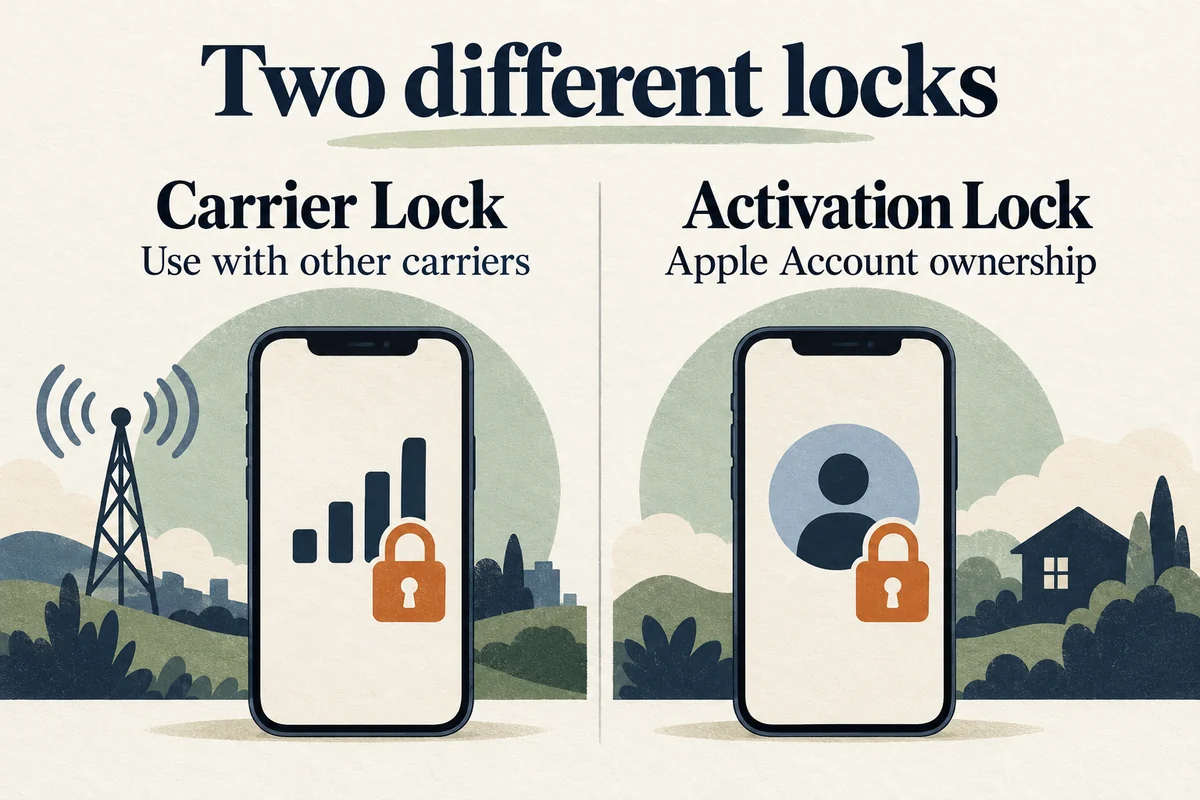
Carrier Lock controls use with other mobile carriers. Activation Lock concerns the Apple Account associated with the device. A phone can be carrier-unlocked yet still be unusable by a new owner because it remains linked to someone else’s account.
Apple explains that only the carrier can unlock an iPhone for another network. Apple cannot substitute for T-Mobile’s eligibility review. Similarly, a carrier unlock does not remove the previous owner’s Apple Account.
If you have bought a used phone, resolve ownership and activation issues with the seller before treating them as network problems. Do not factory-reset a working phone merely to see whether its carrier lock changes; confirm the unlock with the carrier first and follow its specific completion instructions if needed.
Conclusion
Check the device’s Carrier Lock field and the full eligibility conditions before planning a carrier switch. The strongest evidence is the actual unlocked status on the phone, supported by the carrier’s confirmation. A paid-off balance or a seller’s promise is useful context, but neither replaces that check.

Ethan Miller
Ethan Miller writes about home improvement, interior design, cleaning, and everyday living at Home & Living Daily. He shares practical tips and simple ideas to help readers create more comfortable and functional homes.


