Smart bulbs often carry ratings of roughly 15,000 to 25,000 lighting hours, but the useful life of a particular bulb depends on its model, fixture, electronics, and continued software support. A 25,000-hour rating works out to about 8.6 years at eight hours of light per day. It is not a promise that the whole connected product will work for exactly that long.
Read the rating for the bulb you are buying. Then separate four questions: how long it produces acceptable light, how long its electronics work, how long its connected features remain supported, and what the warranty actually covers.
Start with the exact model's specification
Philips Hue's bulb-lifespan explanation describes 25,000 hours as a common rating for several Hue bulb generations, while some older or specialty products have lower figures such as 15,000 hours. That illustrates variation within one brand; it does not establish the rating of every smart bulb.
Look for a product number and the specification matching its region and generation. Similar packaging or the same color capability does not prove identical components, operating limits, or lifetime ratings.
Also check restrictions for enclosed fixtures, damp locations, operating temperature, and dimmer use. A bulb with an attractive lifetime figure may be the wrong product for a tightly enclosed outdoor fitting.
Convert lighting hours into years without overreading the answer
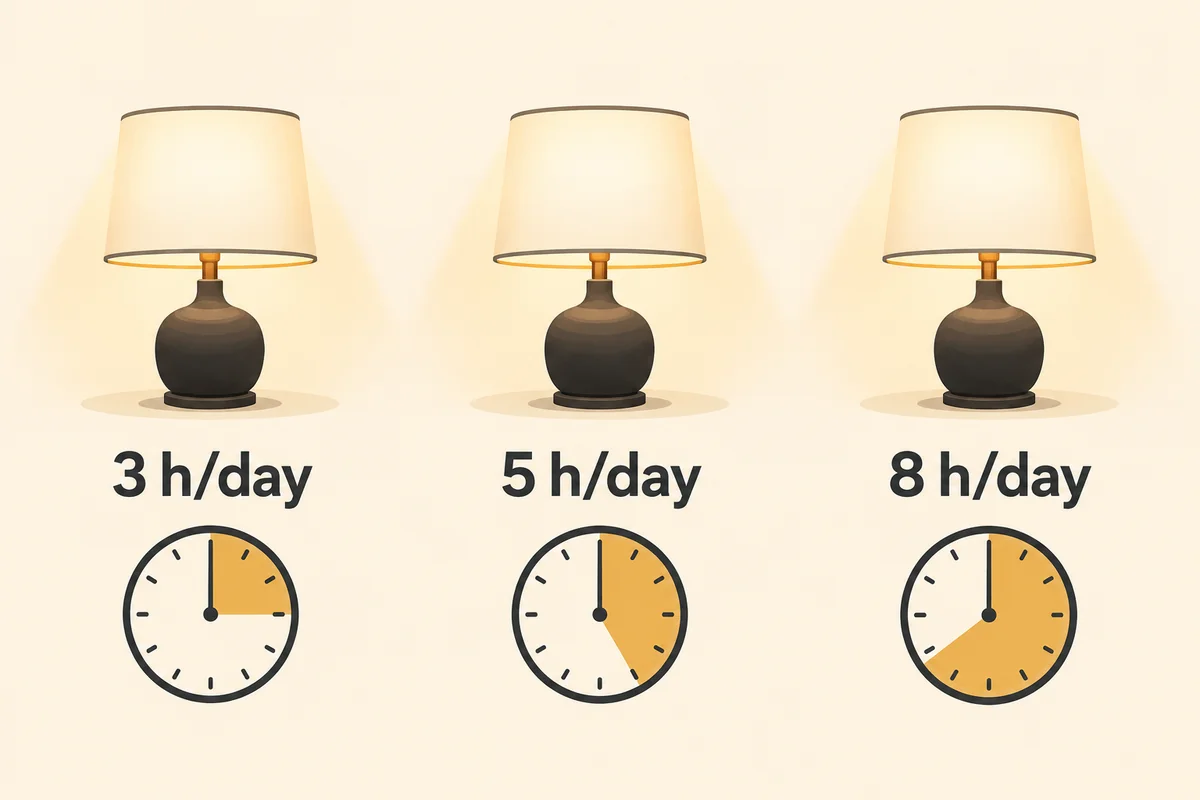
For a simple comparison, divide rated lighting hours by the daily lighting hours multiplied by 365. The following figures are arithmetic illustrations, rounded to one decimal place.
| Rated lighting hours | 3 hours of light a day | 5 hours a day | 8 hours a day |
|---|---|---|---|
| 15,000 | 13.7 years | 8.2 years | 5.1 years |
| 25,000 | 22.8 years | 13.7 years | 8.6 years |
These calculations assume the same use every day. They are not forecasts or warranty periods. A rarely used spare-room lamp can produce an implausibly long calendar estimate even though its electronics, software service, or the owner's needs may change much sooner.
Count the hours when the bulb emits light for this comparison. Do not automatically count every powered standby hour as a full-brightness lighting hour, or assume standby has no effect on the complete device. Use the manufacturer's stated basis; the electronics can remain powered while the light is off.
Rated life does not necessarily end with a sudden failure
The Department of Energy's LED lifetime explanation notes that useful life is commonly described by the hours until light output falls to 70% of its initial level. It also distinguishes gradual light loss, unacceptable color change, and electronics failure.
Check how the specific product defines its claim. A lumen-maintenance figure describes brightness under stated conditions; it is not a guarantee that every driver, radio, connection, or online feature survives until that point.
Decide what remains acceptable in the actual room. A bulb can still illuminate but no longer provide enough light for reading. A color mismatch between lamps may become bothersome before either one stops working. Conversely, an app's “offline” label says nothing by itself about LED wear.
Software support is a separate lifespan
A bulb may still respond locally after a service changes, or it may depend on an app, account, or cloud connection you can no longer use. That depends on its design and integrations.
Before buying a large set, look for the manufacturer's support policy, any stated security-support period, and documented local control. Do not infer decades of software support from an hour rating printed beside the light output.
A warranty is another separate commitment. Read its duration, regional terms, eligible use, and claim requirements. Keep the receipt and product identification rather than treating a long rated life as equivalent to free replacement throughout that period.
Give the bulb the conditions it was designed for
Heat management matters to the complete lamp. Follow the enclosure and ventilation restrictions, keep the fitting within its permitted use, and avoid wrapping or covering the bulb. A shade that fits physically does not establish that it provides suitable operating conditions.
Use the approved electrical supply and controls. If a smart bulb is not intended for a conventional dimmer, leaving that dimmer at its maximum setting is not automatically an approved workaround. Check both products' instructions.
Do not use repeated rapid switching as an everyday control habit; on many connected products, a particular switching sequence is a reset command. Choose a compatible remote or control arrangement that lets the household use the light normally.
Diagnose the symptom before buying a replacement
If the light disappears from an app, first confirm power and test the manufacturer's normal control route. If several bulbs fail together, investigate their shared bridge, network, or service. Replacing every bulb is unlikely to be the right first response to one failed shared component.
For an ordinary replaceable bulb, follow the fixture's safety instructions, disconnect power, and let it cool before moving it to another suitable known-working lamp. Never dismantle the bulb or expose wiring to investigate its electronics.
A bulb that lights normally but will not pair has a different problem from one that remains dark on a verified suitable supply. Use the model's connection-recovery instructions, and contact support if the expected reset confirmation never appears. Persistent flickering, visible damage, unusual heat, or a smell deserves stopping use and investigating rather than extending the experiment.
When replacement is necessary, preserve the old device's room assignment and automation notes. Remove obsolete integrations carefully so routines do not continue pointing to an unavailable light.
Conclusion
Use rated hours to compare lighting use, then judge the rest of the product separately. Fixture compatibility, support, recoverable controls, and warranty terms can matter more than a small difference in the lifetime number. Replace a bulb for a diagnosed failure or an unmet lighting need, not simply because its app reports it offline.

Ethan Miller
Ethan Miller writes about home improvement, interior design, cleaning, and everyday living at Home & Living Daily. He shares practical tips and simple ideas to help readers create more comfortable and functional homes.


